Running Local LLMs on Windows 11: From Ollama Setup to Gemma 4 and Context Tuning
A hands-on guide to running local LLMs on Windows 11 using Ollama, comparing Gemma 4 and Qwen models, and solving real-world limitations like context size for development workflows.
🚧 This post is under construction 🚧

Introduction
Running large language models locally under Windows 11 is easier than ever. Tools like Ollama make installation almost trivial: as we will see, you can download a model and start prompting in just a few minutes.
But getting something to run is not the same as making it useful.
My initial goal was simple: run a local model overnight to iterate on code. Generate it, execute it, measure results, improve it, and repeat—all without relying on cloud APIs or subscription limits. In theory, this should be possible with modern open models.
In practice, things get more complicated.
Very quickly, the choice of model becomes critical. Smaller models run fast but struggle with reasoning or memory. Larger ones promise better results but introduce hardware constraints. And then there’s a less obvious limitation that turns out to be a dealbreaker for real workflows: context length.
In this article, I’ll walk through a hands-on exploration of running local LLMs on Windows 11. We’ll start with Ollama as a convenient entry point, then move beyond simple setup to:
- test different models like Qwen and Gemma 4
- understand how hardware impacts what you can realistically run
- and experiment with extending context size to unlock more reliable behavior
The goal isn’t just to “run a model locally,” but to better understand what it takes to build a setup that can actually support real development tasks.
Install Ollama
Visit ollama.com
Open a terminal and copy the line below (no need to be admin) :
irm https://ollama.com/install.ps1 | iex
Install and Run QWEN
QWEN 2.5 is a “small” model (2GB). This is perfect to check our setup. In the same terminal past the command below:
ollama run qwen2.5:3b
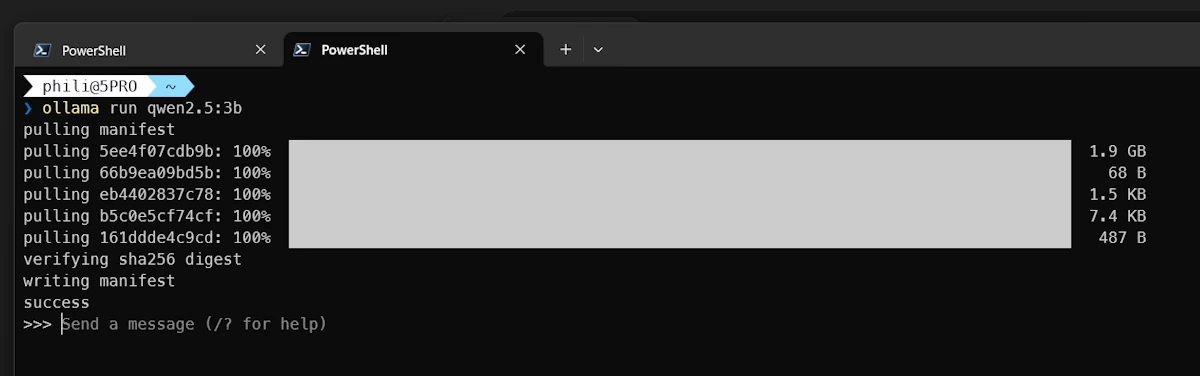
Ollama downloads and run the model in an interactive session.
First prompt
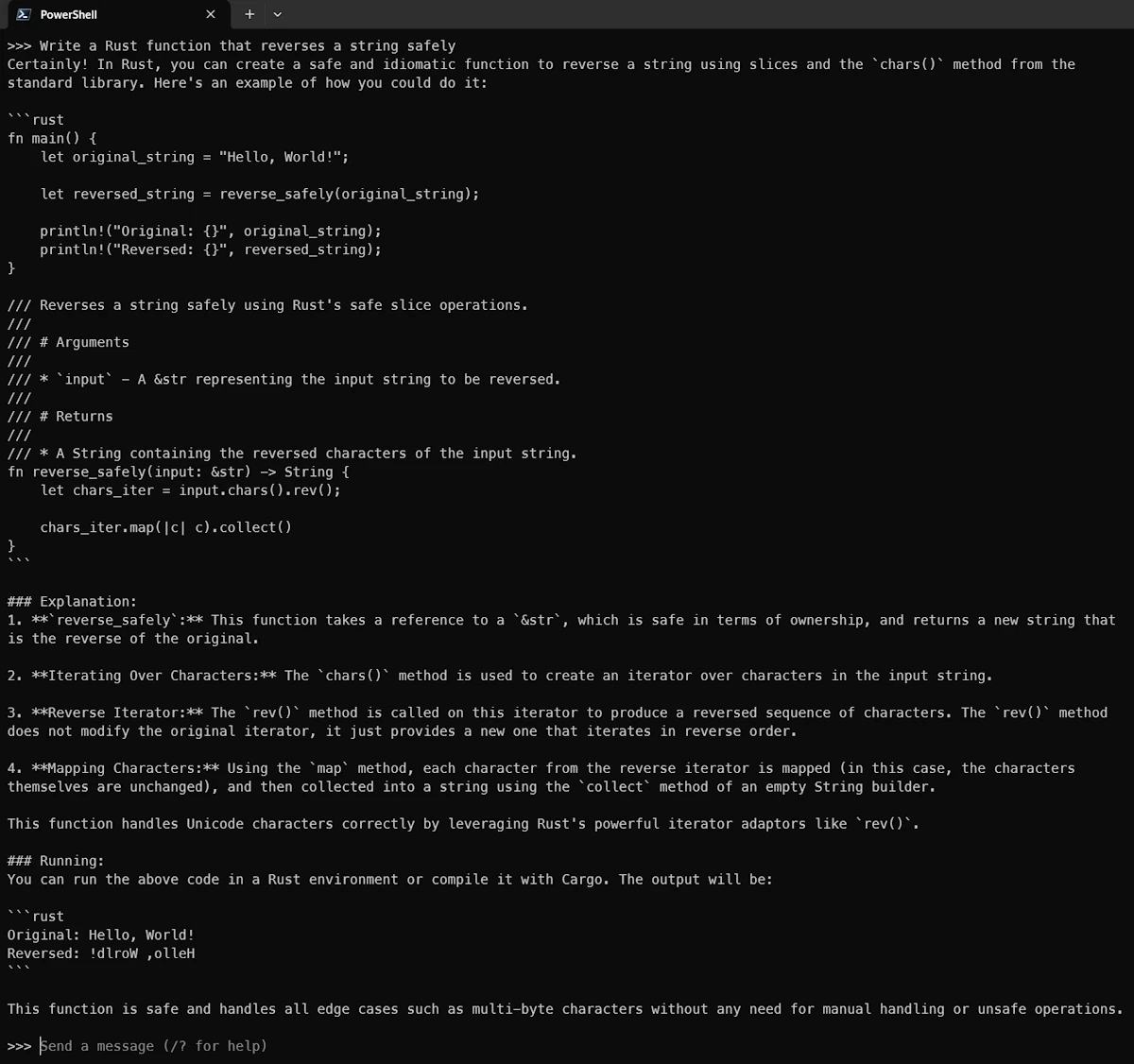
Once you see the >>>>, you can try your first prompt. See below an example:
# prompt:
Write a Rust function that reverses a string safely

# Explain what Rust ownership is in simple terms
# ...

# /exit or CTRL+D to exit
See below the answer:
Getting Help and Information
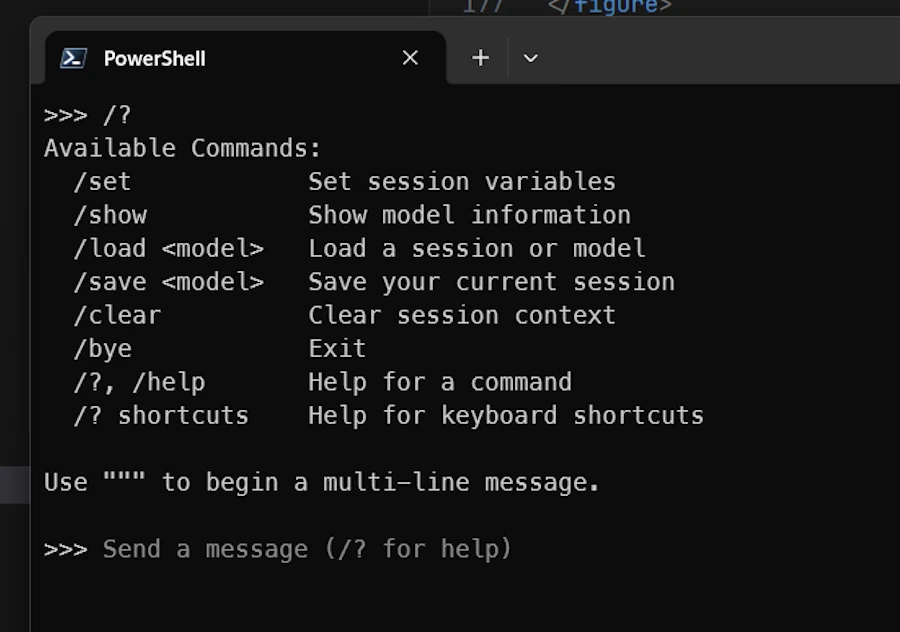
As Claude, Ollama have a set of slash commands but it is much shorter:
- Exit Ollama (
/exit,/byeorCTRL+D) - In the terminal type
ollama --help
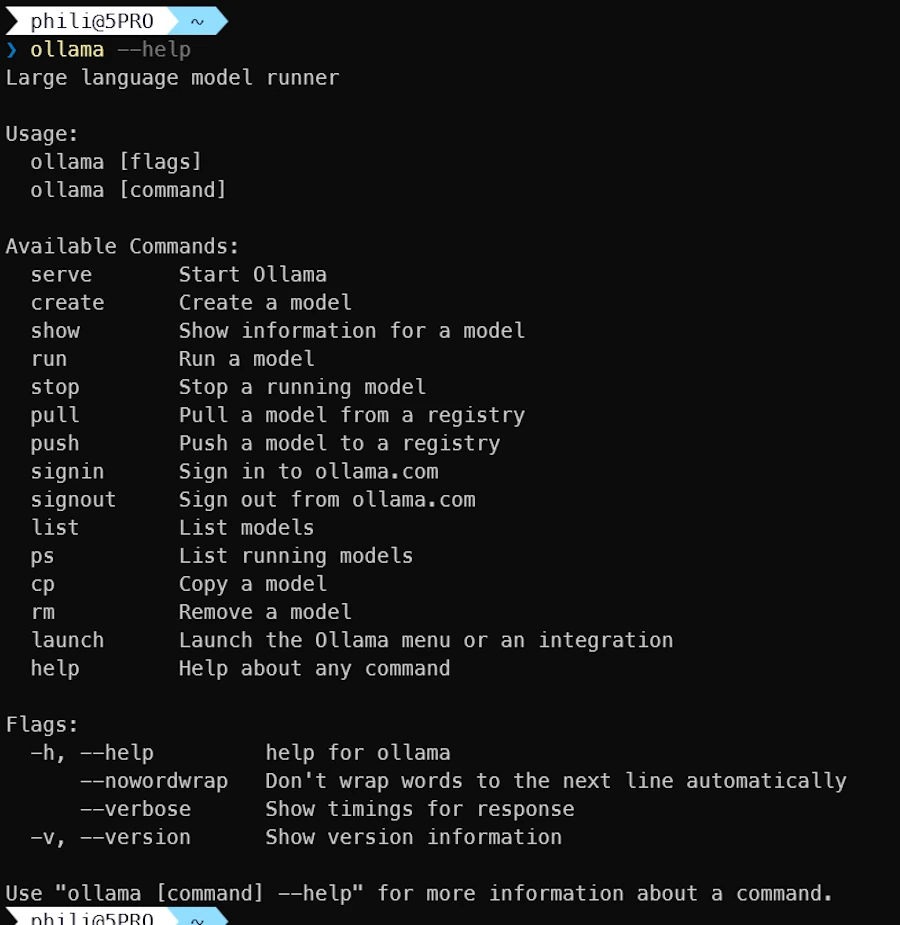
- Let’s try
ollama listto see the list of models available locally:
ollama list
ollama show qwen2.5:3b
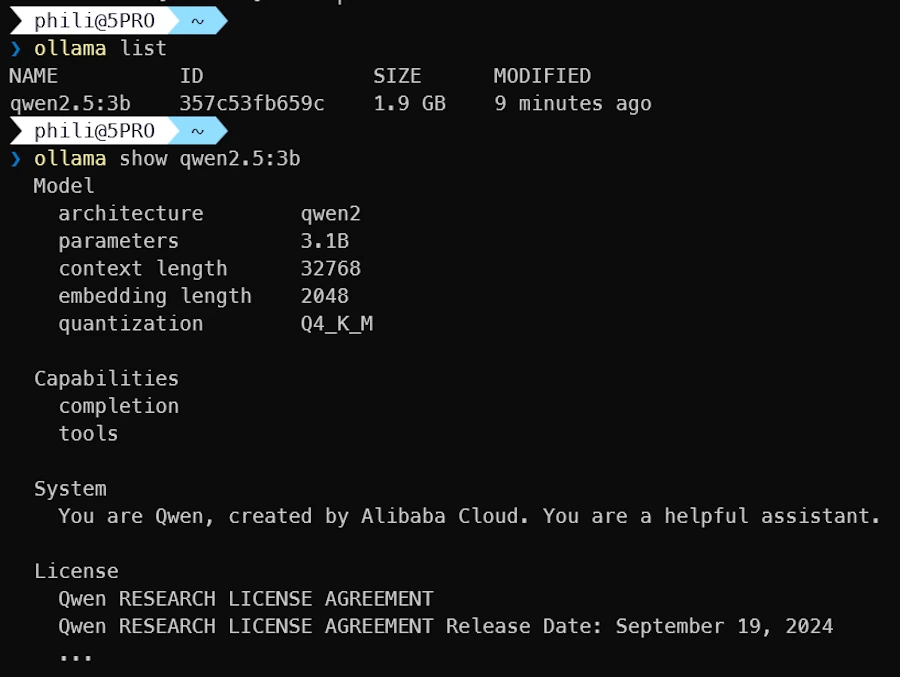
The show command provides detailed information about the model. I’m not sure to understand the context length parameter (more information below).
Checking where the models are stored
Under Windows, Ollama is installed in $env:USERPROFILE/.ollama. This is a good news because this means it is NOT monitored by OneDrive. If needed one can read this page and change OLLAMA_MODELS default value.
Get-ChildItem $env:USERPROFILE/.ollama/models -Recurse
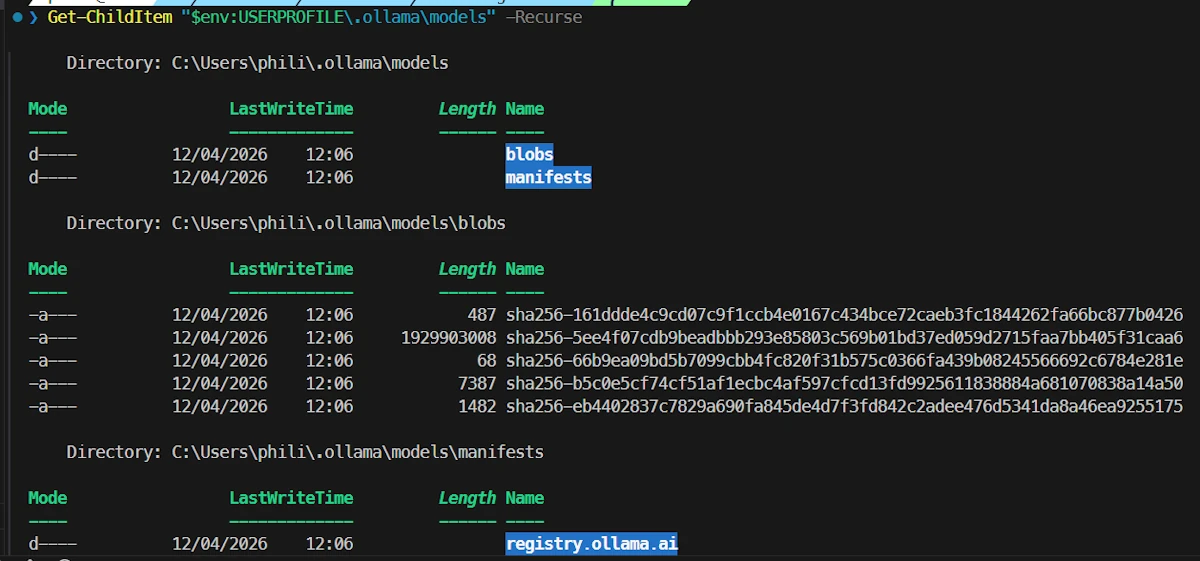
Models are stored in the blobs sub folder.

Know your hardware configuration
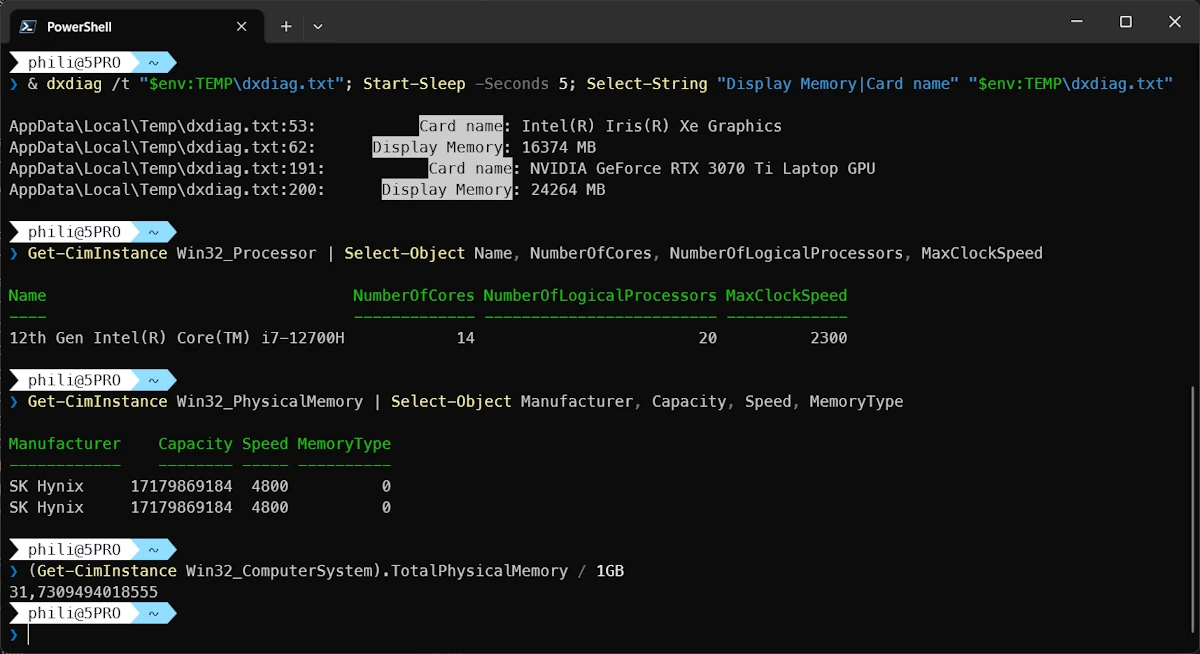
Under WIndows 11 you can try the commands below to get information about RAM, VRAM…
& dxdiag /t "$env:TEMP\dxdiag.txt"; Start-Sleep -Seconds 5; Select-String "Display Memory|Card name" "$env:TEMP\dxdiag.txt"
Get-CimInstance Win32_Processor | Select-Object Name, NumberOfCores, NumberOfLogicalProcessors, MaxClockSpeed
Get-CimInstance Win32_PhysicalMemory | Select-Object Manufacturer, Capacity, Speed, MemoryType
(Get-CimInstance Win32_ComputerSystem).TotalPhysicalMemory / 1GB
Selecting gemma4
Select the text from the terminal then copy it into ChatGPT, Claude or other friends then add this prompt:
Given the hardware configuration described above, which gemma4 model would you recommend for my Windows 11 PC?
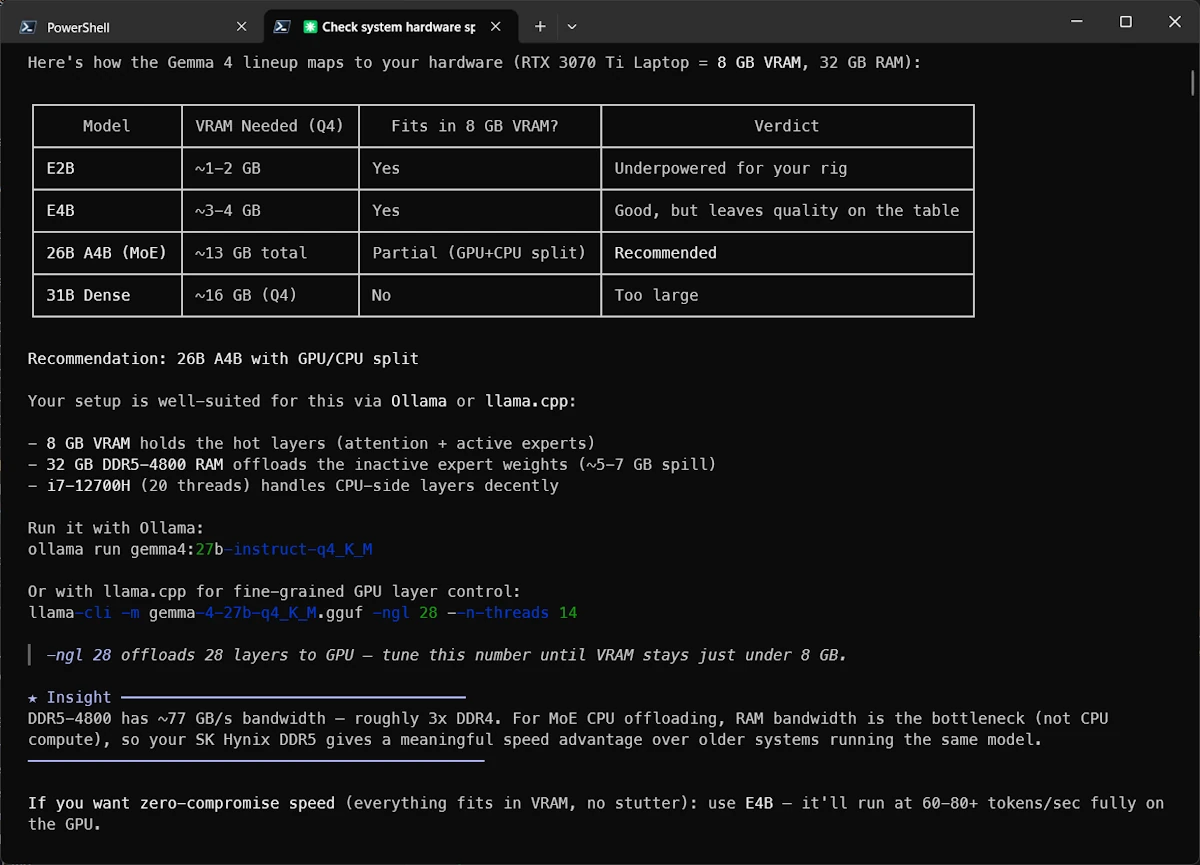
After discussing with ChatGPT and double checking this page I decided to give a try to gemma4:e4B
Using gemma4 in the terminal
⚠️ Make sure to plug an Ethernet cable rather than using Wifi then use the following command to download and run gemma4:e4B.
ollama run gemma4:e4b
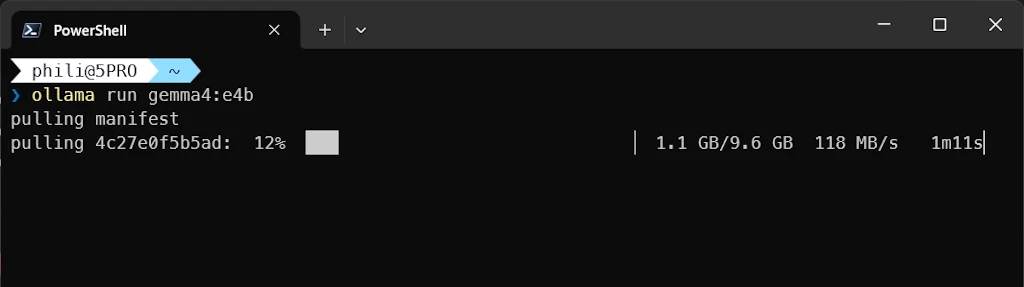
Once the model is succesfully downloaded, let’s try a prompt:
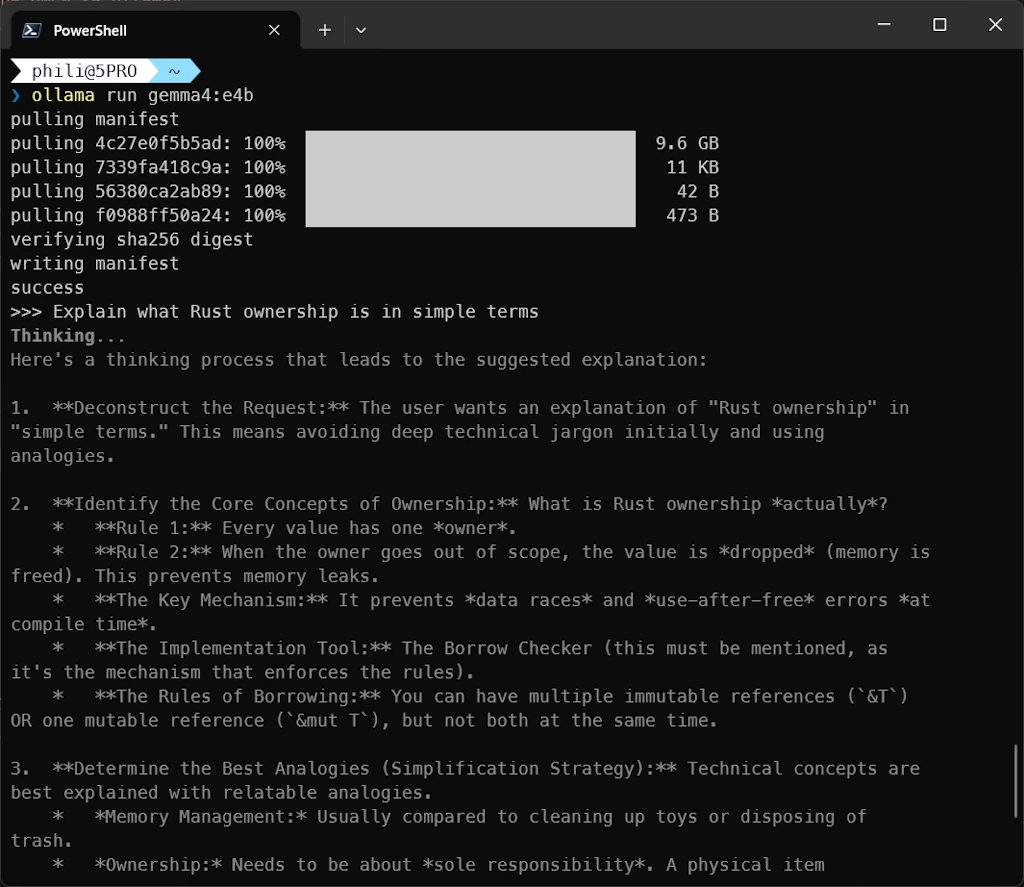
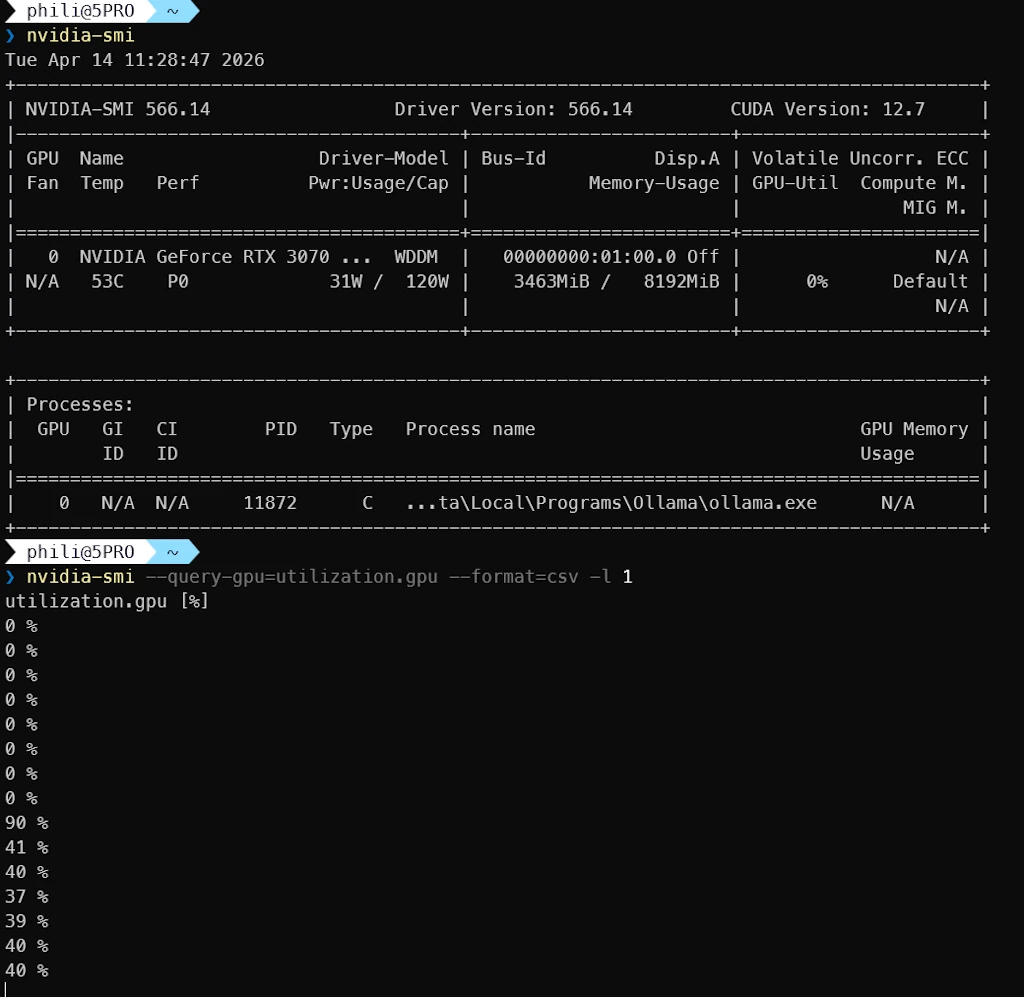
Let’s check the state of the GPU while the model is working. I tried different options but I was not able to display Compute/CUDA on the discrete GPU using task manager (CTRL+SHIFT+ESC). So I propose to open a second terminal and run this command
nvidia-smi --query-gpu=utilization.gpu --format=csv -l 1
Below we can see that ollama.exe uses the GPU. Then the monitoring shows what happens when I run a prompt in another terminal (the activity jumps from 0% to 40%)
Side Note
%LOCALAPPDATA%/Ollamacontains the logs%LOCALAPPDATA%/Programs/Ollamacontains the app and the lib
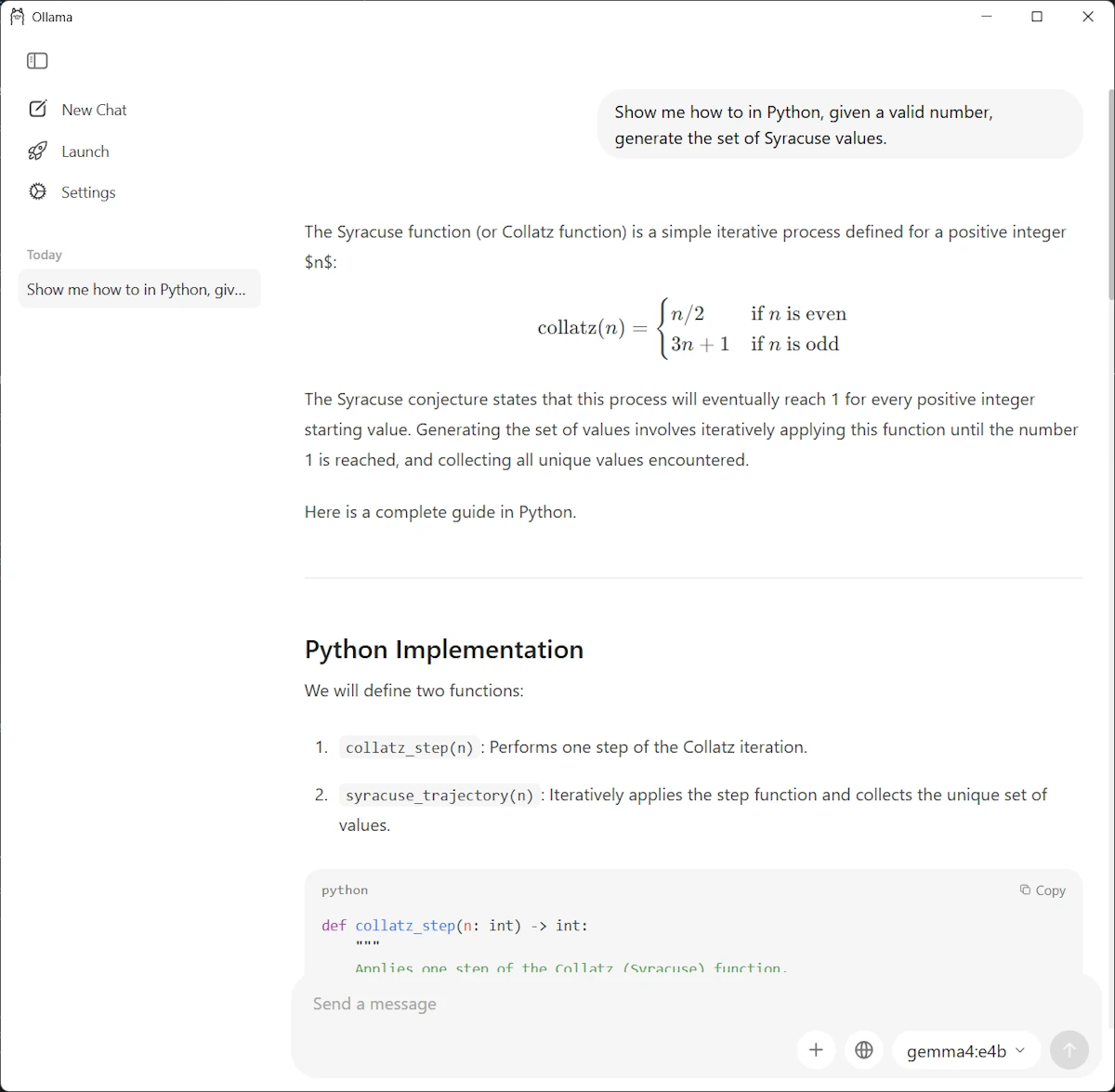
Using gemma4 in the Ollama Windows app
Launch the Ollama app and select gemma4:4b model in the drop down list (bottom right). Use a third prompt (we could alternatively paste an image)
Using gemma4 with Claude
- Open VSCode in an empty directory
- Open a terminal and call
ollama launch
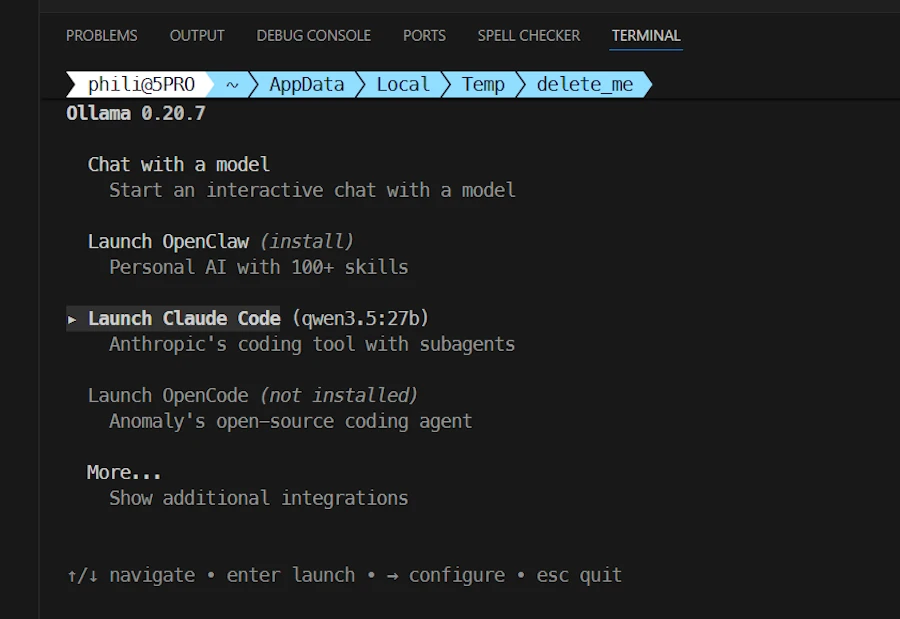
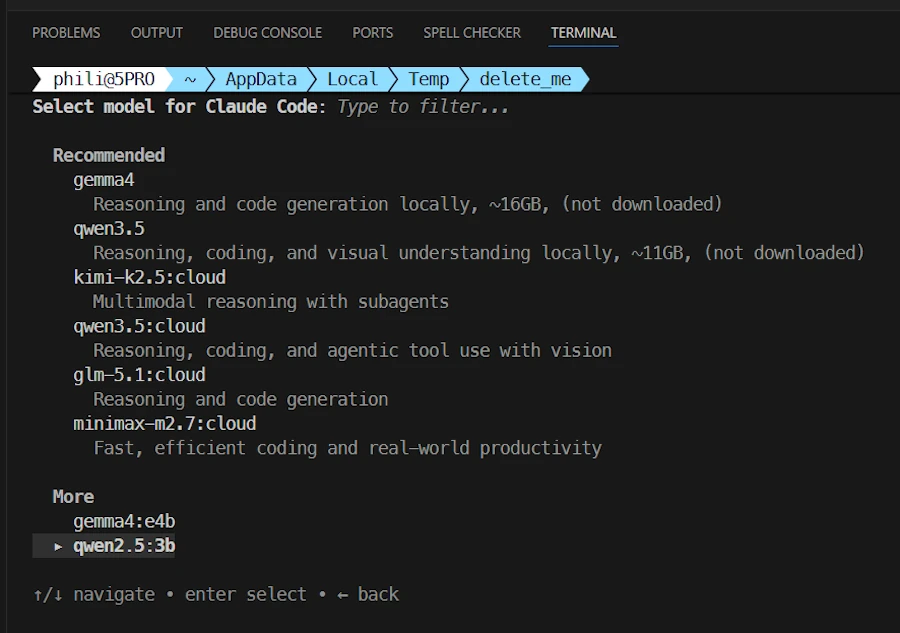
Select Claude Code then use the ➡️ (right arrow ) to select in the list of models, at the bottom of the terminal, select gemma4:e4b
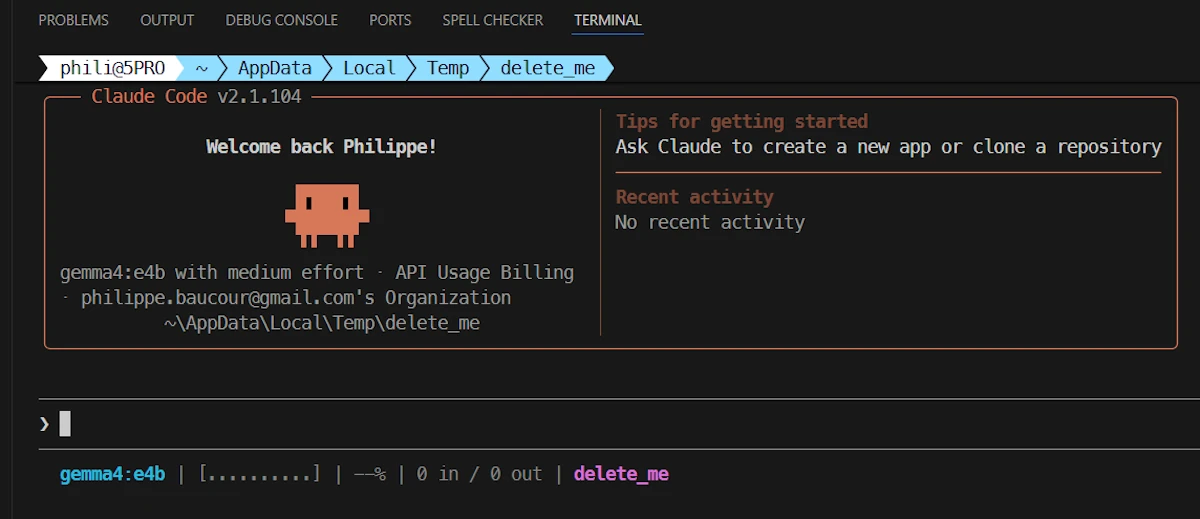
Once in Claude, my status line indicates the model, the directory… We are all set:
Then I use this prompt
show me how to print the 10 first odd numbers in Python
I get this answer:
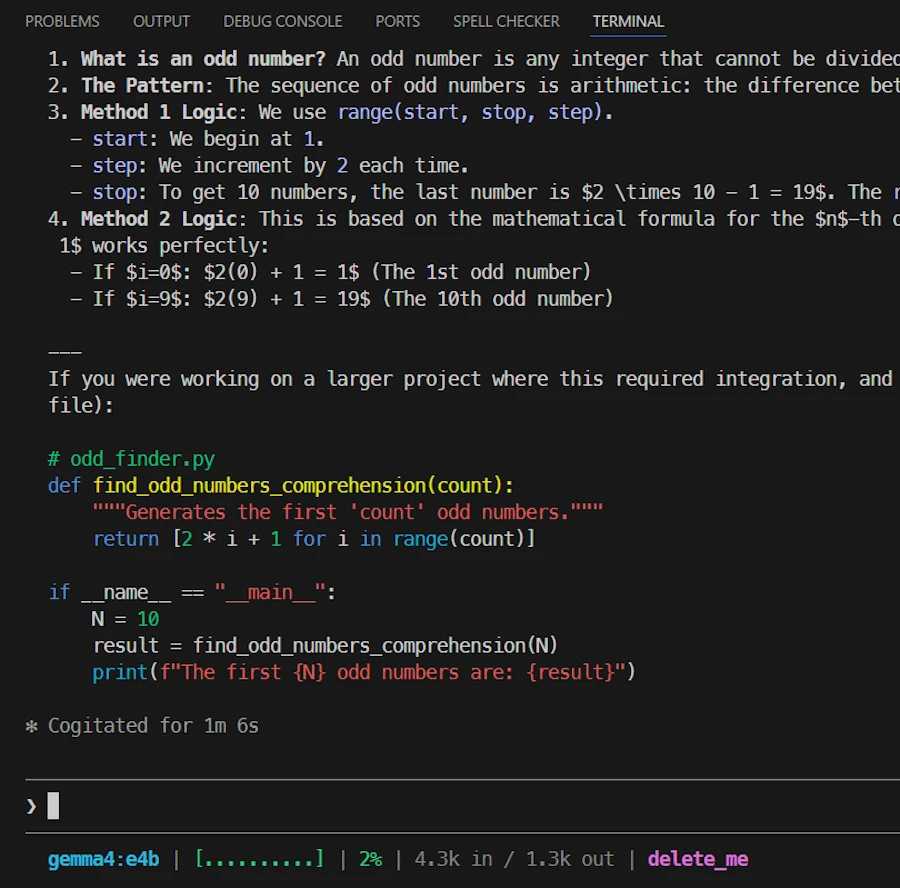
Then I use this prompt:
Can you save the script in the current directory in odd.py
Then things get weird and not usable. Indeed, for what I understand, Claude context is too large and the context of the model is too small. The model doesn’t even remember the code it generated few seconds before. It does’nt know how to save a file, it does not use Claude API to save the file…
I also did some tests with gemma4:26b. Same kind of problems/bugs… Not yet usable in my point of view.
This is unfortunate because I wanted to run the model all night to improve some code. To do that, I would need the ability to:
- generate code
- save it
- run it
- read some results (for example, execution time)
- decide whether the latest version of the code is better or not
- repeat the loop
I can’t do this kind of experiment with my “limited” Claude Pro subscription. That’s why I wanted to run everything locally, even if it meant it would be slow. Time wasn’t the issue for this experiment.
A New Hope: smaller model & extended context

In one terminal I run this command:
ollama run qwen3.5:9b
Then, in a second terminal I run this one:
ollama ps
NAME          ID              SIZE      PROCESSOR          CONTEXT    UNTIL
qwen3.5:9b    6488c96fa5fa    8.9 GB    28%/72% CPU/GPU    4096       4 minutes from now
We can see that the context is “only” 4k. Do you remember the output of the ollama show qwen2.5:3b showing a context length of 32k? Know you undesrtand why I said I was confused.
Ok… I stay in the current folder ($env:tmp/delete_me in my case) and I run the following commands:
# create Modelfile
@"
FROM qwen3.5:9b
PARAMETER num_ctx 65536
"@ | Set-Content -Path Modelfile -Encoding UTF8


# use Modelfile to create a "new" model
ollama create qwen3.5-9b-64k -f Modelfile
Now we should have a 3.5:9B model with 64k context rather than 4k by default. Let’s check that:
ollama list

NAME                     ID              SIZE      MODIFIED
qwen3.5-9b-64k:latest    b7b9afeaf023    6.6 GB    2 minutes ago
qwen3.5:9b               6488c96fa5fa    6.6 GB    14 minutes ago
gemma4:26b               5571076f3d70    17 GB     4 hours ago
gemma4:e4b               c6eb396dbd59    9.6 GB    8 hours ago
qwen2.5:3b               357c53fb659c    1.9 GB    2 days ago
Let’s double check. In terminal 1 I run:
ollama run qwen3.5-9b-64k
In terminal 2 I run:
ollama ps
NAME                     ID              SIZE     PROCESSOR          CONTEXT    UNTIL
qwen3.5-9b-64k:latest    b7b9afeaf023    12 GB    36%/64% CPU/GPU    65536      3 minutes from now
We are good to go because the context seems to be effectively 64k. Let’s see if this helps.
Using our 64k context model with Claude in VSCode
- I stay in the same directory
- Open VSCode (
code .) - Open a terminal in VSCode (
CTRL+ù) and run this command
ollama launch claude --model qwen3.5-9b-64k
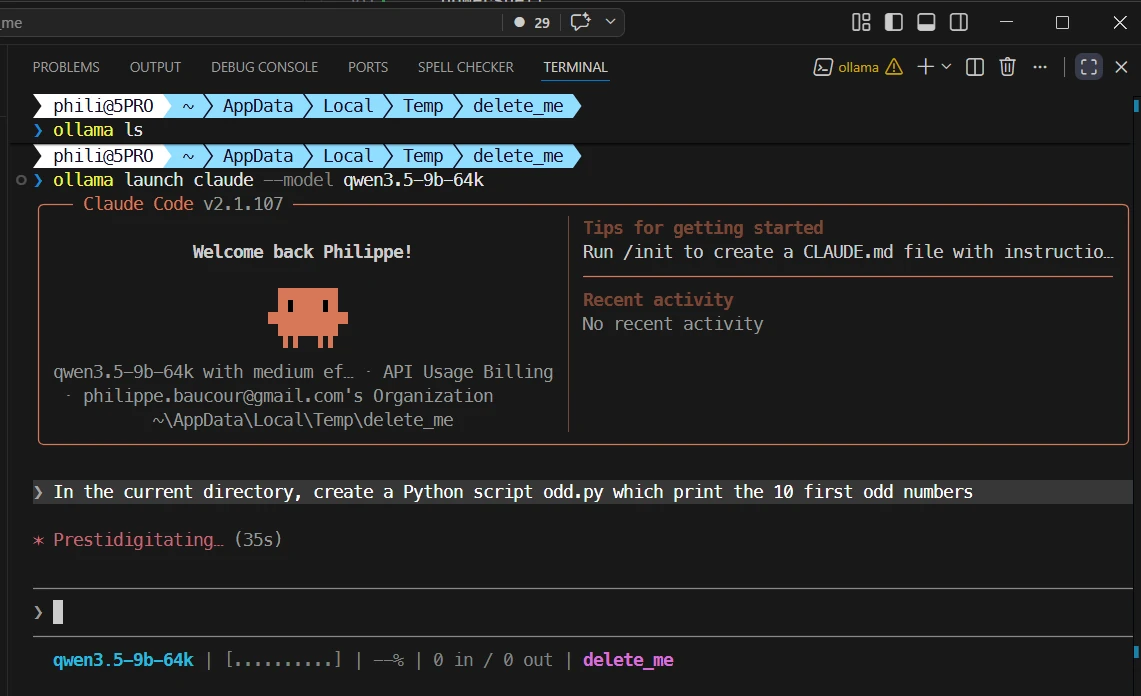
Now I use this prompt : In the current directory, create a Python script odd.py which print the 10 first odd numbers
Once this is done, since I want to see if the model follows the instructions of my CLAUDE.md I ask it to run the script with this prompt: Can you run it?. See below:
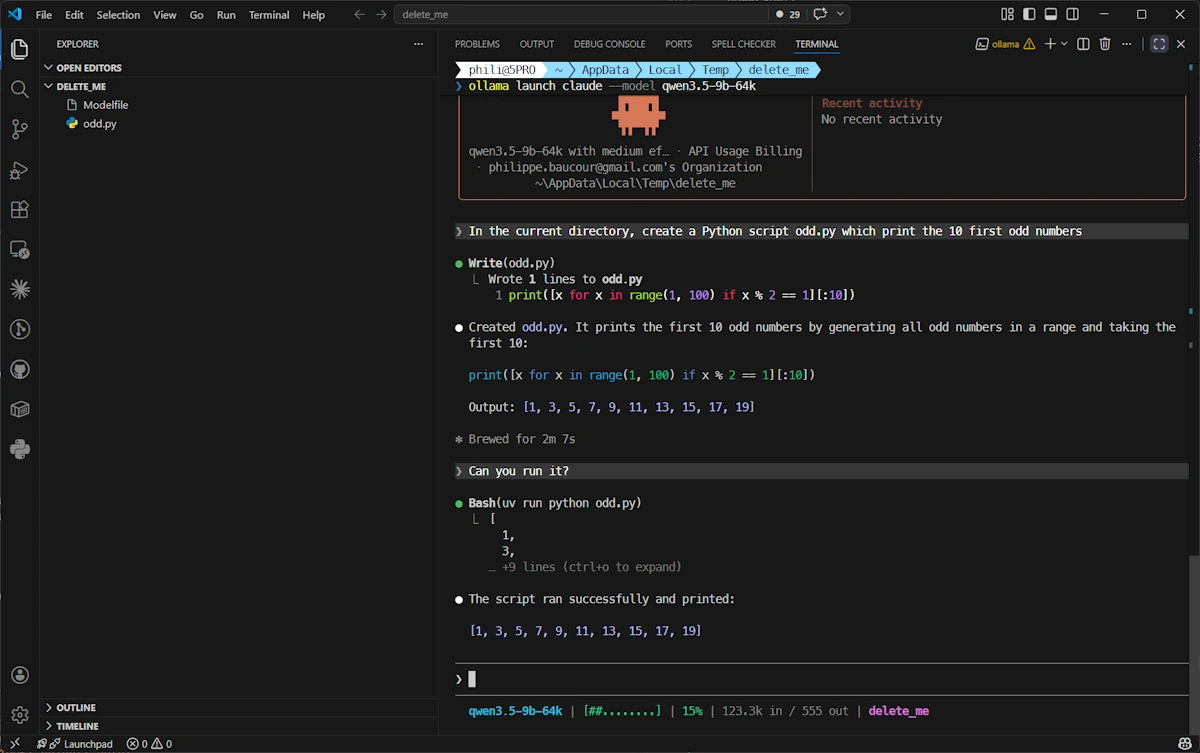
Cool… It seems that with a 64k context, the model is able to save the file, it remembers what it does (in the second prompt I just said “can you run it” without mentioning the script whatsoever) and it follows the instructions of my CLAUDE.md (it use uv to run the script). So it seems context length is someting we should keep an eye on.
Conclusion
We learn a lot but at the end of the day we have a setup we can improve. Remember, I wanted to run a model in a loop all night. I needed the ability to:
- generate code
- save it
- run it (
uvorcargo run) - read some results (for example, execution time)
- decide whether the latest version of the code is better or not
- repeat the loop
We will see how it goes but the next step should be to check the context of gemma4:26b, extend it if needed and work on the loop. Stay tune!